PlaysoloistKeys & ReedHarmonium
Part · Indian · Keys & Reed
№ 6776353071
Harmonium App Find Your Sa, Learn Sargam & Alankar
A harmonium practice app that sets your Sa from clear evidence, gives pitch feedback on sargam and alankar lessons, and leaves an unclear take unscored.
Find your Sa. Hear the honest answer.

The microphone listens only when you ask. Audio and pitch traces stay on your device, and no account is needed. Harmonium support · Privacy · Terms of Use
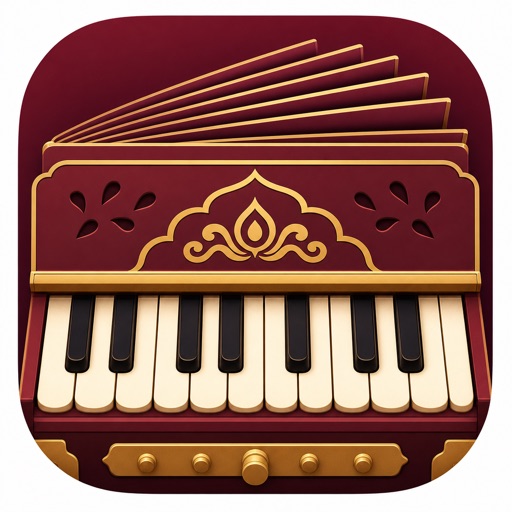
Start from a Sa that suits your voice. Soloist Harmonium listens for one comfortable, steady note, or lets you pick Sa by hand, then moves the keyboard labels and the reference drone with it. Play a sampled-reed keyboard with bellows and coupler, work through swara foundations and alankar patterns with pitch feedback, and keep a daily riyaz record on your iPhone.
Find your Sa
Sing, hum or play one steady note. Sa changes only when the microphone evidence is clear; otherwise your current choice stays and you can retry or choose Sa by hand.
A sampled-reed keyboard
Bass, main and treble reeds, a coupler, assisted or manual bellows, key sizing, octave navigation, transpose and tuning options.
Lessons that say when they could not hear you
Hear a phrase, play or sing it, then see pitch feedback on every note. A take with too little clear evidence gets no score instead of a guess.
Alankar sets in all 10 thaats
Structured alankar patterns in every one of the 10 thaats, each with speed tiers, alongside the swara foundations.
Sargam in three scripts
Keyboard and lesson labels in Roman, Devanagari or Gurmukhi, moving with the Sa you chose.
A Sa drone and a quiet practice bed
Practise against a drone pitched to your Sa, with a soft rhythm bed when you want a pulse.
A daily riyaz record
Attempt history, pitch traces, Riyaz Sadhana and guilt-free Vishram rest days, kept on your device. No account needed.
Three steps to a steadier riyaz
Set your Sa.
Sing, hum or play one comfortable, steady note, or choose Sa by hand. The keyboard labels and the drone follow it.
Play the phrase back.
Hear a short sargam or alankar phrase, then answer it while the microphone listens.
Read the honest result.
A clearly heard take gets pitch feedback. When too little was heard, the take gets no score, and you can simply try again.
Free charts, guides & references
Two free beginner guides: choosing and finding your Sa, and keeping the bellows steady.
Questions
Is there an app to learn harmonium?
Yes. Soloist Harmonium is an iPhone app for learning harmonium: it sets your Sa, gives you a playable sampled-reed keyboard, and runs swara and alankar lessons that give pitch feedback. It is free to download.
Which key is Sa on the harmonium?
Sa is not fixed to one key. It is the home note you choose, usually to suit your voice or your teacher. Many beginners start with Sa on C, the white key just left of a pair of black keys, then move it if singing feels strained. Soloist Harmonium can listen for a comfortable note and set Sa from it, or you can choose it by hand.
How do I pump the harmonium bellows?
Use slow, even strokes and keep a little air in reserve before you press a key. Pump before the sound fades, not after. Pumping harder makes the reeds louder, not higher. Our bellows guide walks through it step by step.
Do I need a real harmonium to start?
No. The app includes a playable sampled-reed keyboard with bellows and a coupler. When a lesson listens, it uses your iPhone microphone.
Does it guess when the room is noisy?
No. When too little of a take is heard clearly, it gets no score instead of a guess. Find your Sa keeps your current Sa unless the evidence is clear.
Does audio leave my iPhone?
No. The microphone listens only when you ask, and audio and pitch traces stay on your device. The optional cloud practice coach asks your permission before it sends your practice numbers, can be turned off in Settings, and never receives audio.
What does it cost?
Soloist Harmonium is free to download and seven lessons are free. Pay once with Soloist Harmonium Pro Lifetime to unlock every lesson and pattern for good, and buy it from your first session if you like. Monthly and yearly plans are also available and raise the practice coach's daily allowance; they renew until cancelled in your App Store settings, while Lifetime never renews. See local prices in the app.
More Keys & Reed
Free on the App Store
Find your Sa and play your first sargam.
Download Soloist Harmonium free. Find your Sa, the sampled-reed keyboard, the Sa drone and seven lessons need no purchase. Pay once with Soloist Harmonium Pro Lifetime to unlock every lesson, or choose a plan. See local prices in the app.
Get Harmonium on the App Store