Part · Western · Keys & Reed
№ 6779798750
Piano App Learn Piano with Honest Note-by-Note Grading
Soloist Piano grades taps on its keyboard and a compatible connected MIDI keyboard key by key, on your iPhone. The microphone is optional, and when it can't hear a note clearly it says so instead of marking it wrong. No ads, no account.
A real keyboard that grades you honestly — zero ads.

Grading and Listen, File and Hum transcription run on your iPhone, and your audio is never uploaded. No account, no ads. Piano support · Privacy · Terms of Use
Soloist Piano 1.3.0 gives you a full 88-key multi-touch keyboard with sampled piano sound, a metronome and scales, free, with no ads and no account. The course starts at middle C: Unit 1, Middle C & Five Fingers, is seven free lessons. Soloist Piano Pro opens all 12 units and 73 lessons and the full catalog of 98 graded melody lessons + 392 play-along charts. It is a pay-once Lifetime purchase, with no subscription.
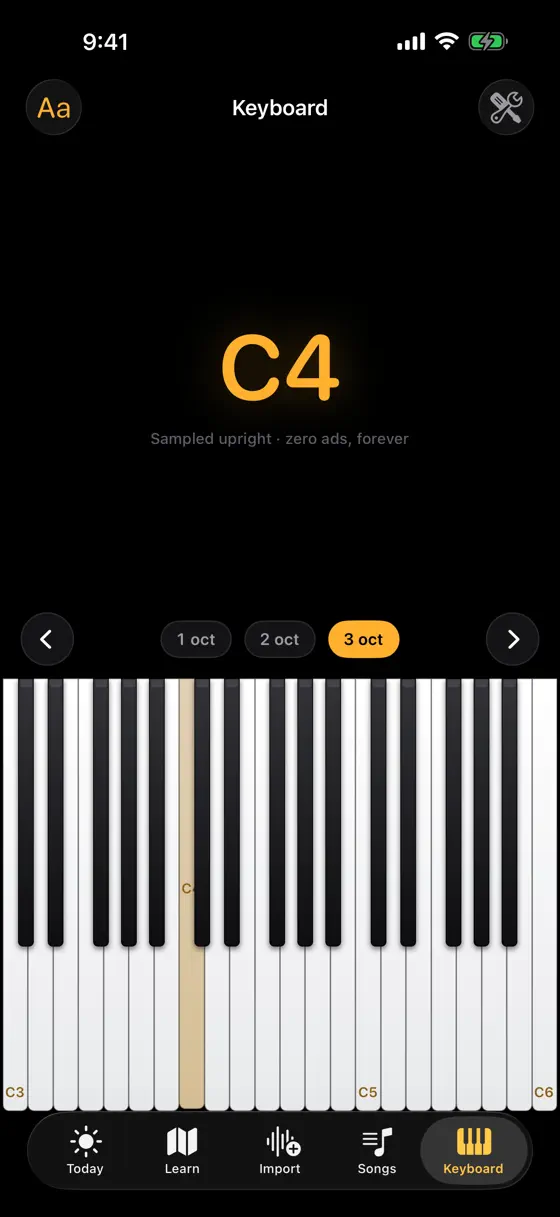
A full 88-key keyboard, free
Multi-touch, with sampled piano sound, a metronome and scales. No ads, no account, no time limit.
Watch, play along, then solo
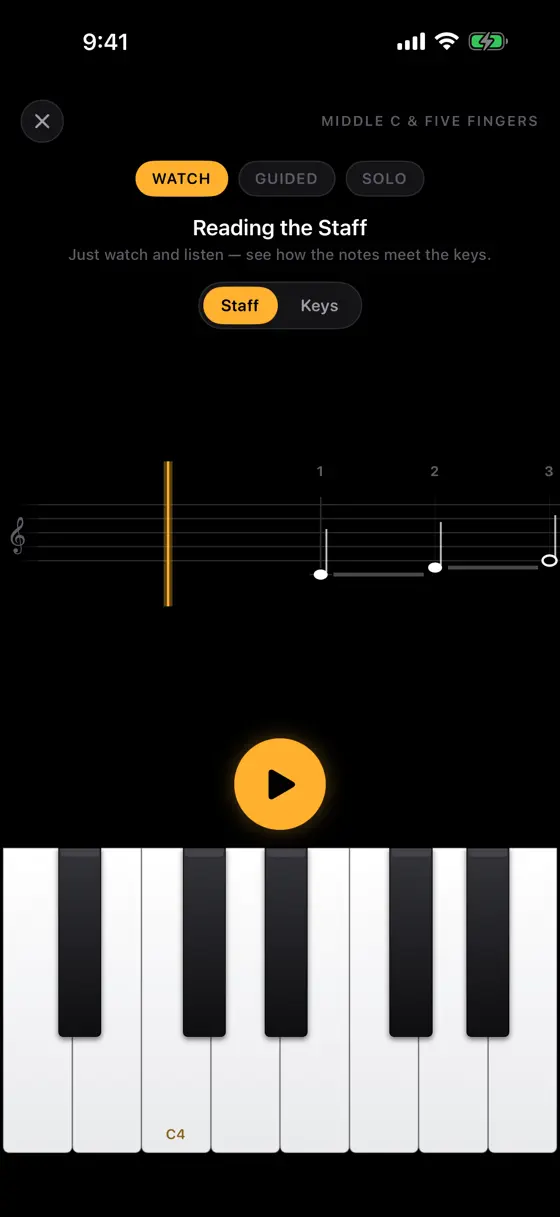
In the Watch stage the app plays the passage on the keys itself: each key goes down with its finger number on it, left hand in blue and right hand gold. Then the lesson slows the music down and lights the next keys for you. Turn on Wait Mode and the music waits until you press them. The last step is a graded solo take.
Grading that doesn't guess
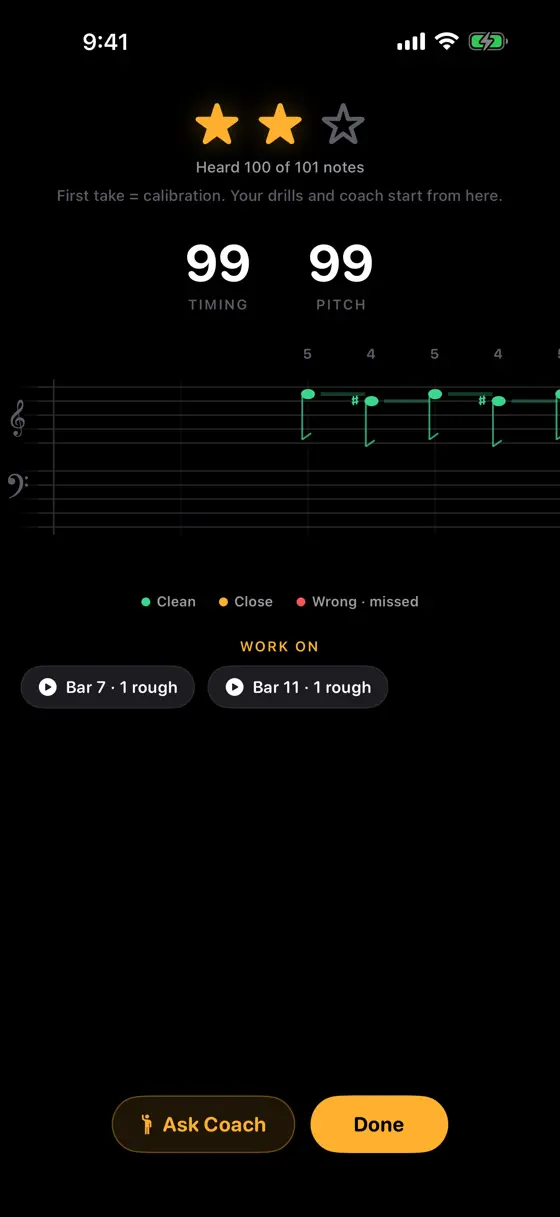
Taps on the screen and a compatible connected MIDI keyboard are graded key by key, the same way every time. The microphone is optional. When it can't hear a note clearly it says “couldn't hear you clearly” instead of inventing a wrong note.
Finger numbers, two hand colours
The falling-notes and staff views put a finger number on each marked note, 1 for the thumb to 5 for the little finger, with the left hand in blue and the right hand in gold.
A course from middle C
Unit 1 starts with one thumb on middle C and three short songs, and it is free. Soloist Piano Pro opens all 12 units and 73 lessons, and a 60-second, 10-item placement test can start you further along.
Tools for the bar that keeps going wrong
Slow the tempo, loop an A–B section or practise one hand at a time. A 5-minute Daily Workout, quests, streak protection, levels, badges and certificates keep the habit going, with an optional weekly Game Center practice league and opt-in reminders.
Bring your own music
Import a Standard MIDI File, or use Listen, File or Hum to turn music playing out loud, an audio file or a hummed tune into a practice draft on your iPhone. Your audio is never uploaded. Three imports a month are free.
A share clip of a take you earned
After a graded take of a public-domain piece, make a vertical falling-notes clip to share. The app is also in Spanish, Portuguese and Hindi.
Three steps to a take you can trust
See it first.
Watch the keys play themselves, each one showing the finger that presses it, left hand in blue and right hand in gold.
Play along slowly.
The guided pass slows the music and lights the next keys. With Wait Mode on, nothing moves until you press them.
Play it solo.
The solo take is graded key by key from your taps or a connected MIDI keyboard. On the optional microphone path, a note it can't hear clearly is reported as that, never as a wrong note.
Real screens. Real practice.
Inside Soloist Piano, screen by screen.
Free charts, guides & references
Two free beginner guides: reading piano finger numbers, and finding middle C on a 61-, 76- or 88-key keyboard.
Songs & free notation
98 public-domain and original works with full, readable notation — read them free here, then let Soloist Piano grade your take note by note.
Questions
What is free?
The 88-key keyboard, the metronome and scales, Unit 1 (seven lessons), 51 catalog items (24 graded melody lessons and 27 play-along charts), three imports a month and the on-device practice coach, which has no message limit. There are no ads and no account.
How much is Soloist Piano Pro?
Pay once, no subscription. In the US, Soloist Piano Pro Lifetime is $19.99. It is charged once, never renews and works with Family Sharing. The App Store shows your local price before you buy, and Restore Purchases is in Settings, one tap from Today.
I subscribed in an earlier version. What happens now?
You keep Pro while your plan is active, and your progress stays as it is. Settings in the app offers Switch to Lifetime; if you take it, cancel the old plan in iOS Settings → your name → Subscriptions so it doesn't renew. Import credits you already bought stay in the app.
What does Soloist Piano Pro unlock?
All 12 units and 73 lessons, the full catalog of 98 graded melody lessons + 392 play-along charts, and unlimited imports. The play-along charts are melody-free.
Can a complete beginner start here?
Yes. Unit 1 begins with one key, middle C, and your right thumb, then five fingers on five notes, reading the staff and the left hand joining in, with three short songs. If you already play, the 60-second placement test can skip you ahead.
Do I need a real piano or keyboard?
No. The on-screen keyboard is graded by touch and needs no microphone. A compatible connected MIDI keyboard is graded the same way, key by key. At an acoustic piano you can use the optional microphone, which tells you when it couldn't hear you clearly.
Does it know which finger I used?
No. It grades which key you played and when. It shows the finger numbers to follow, but it can't see your hand, so the fingering is up to you.
Does my audio leave my iPhone?
No. Grading and Listen, File and Hum transcription run on your iPhone, and your audio is never uploaded. You don't need an account.
More Keys & Reed
Free on the App Store
Put your right thumb on middle C.
Download Soloist Piano free. The 88-key keyboard, metronome, scales and Unit 1 need no purchase. When you want the rest, Soloist Piano Pro Lifetime is a single US$19.99 purchase in the US, with nothing to renew; the App Store shows your local price before you buy.
Get Piano on the App Store